
ROOTS
ROOTS
ROOTS
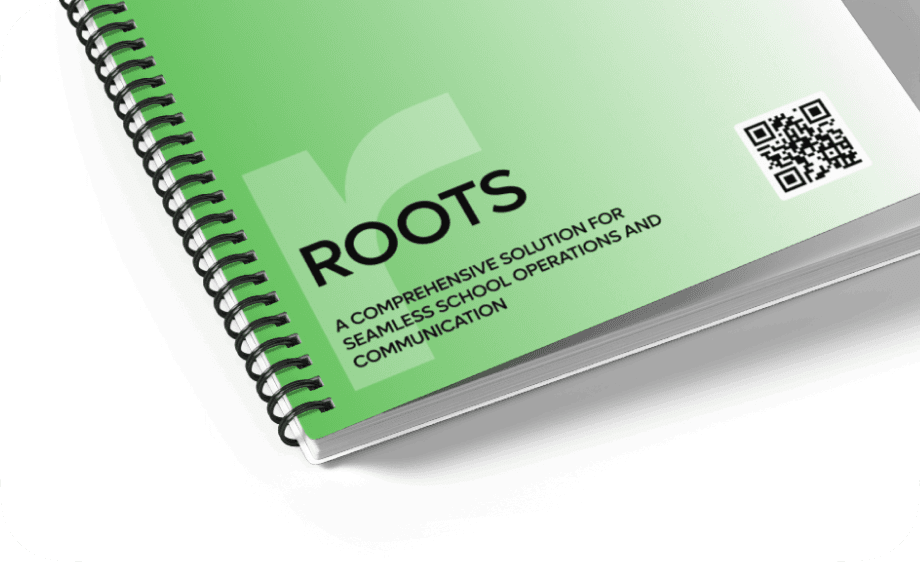
ROOTS is a project where I created a modern, intuitive platform to help educators and administrators manage classes, students, and communication more efficiently.
ROOTS is a project where I created a modern, intuitive platform to help educators and administrators manage classes, students, and communication more efficiently.
CLIENT
CLIENT
Private School System
Private School System
CATEGORY
CATEGORY
EdTech
EdTech
PROJECT YEAR
PROJECT YEAR
2024
2024
ROOTS is an ideal solution for effective and innovative class management system that designed to meet the evolving needs of the students, educators and parents.
ROOTS is an ideal solution for effective and innovative class management system that designed to meet the evolving needs of the students, educators and parents.
ROOTS is an ideal solution for effective and innovative class management system that designed to meet the evolving needs of the students, educators and parents.
My client, renowned for their exceptional private elementary education in Canada, now benefits from the innovative Roots platform. I aim to provide diverse target users with the best possible experience when interacting with the application.
My client, renowned for their exceptional private elementary education in Canada, now benefits from the innovative Roots platform. I aim to provide diverse target users with the best possible experience when interacting with the application.
My client, renowned for their exceptional private elementary education in Canada, now benefits from the innovative Roots platform. I aim to provide diverse target users with the best possible experience when interacting with the application.
Streamlining School Success.
Streamlining School Success.
Streamlining School Success.
GOAL
GOAL
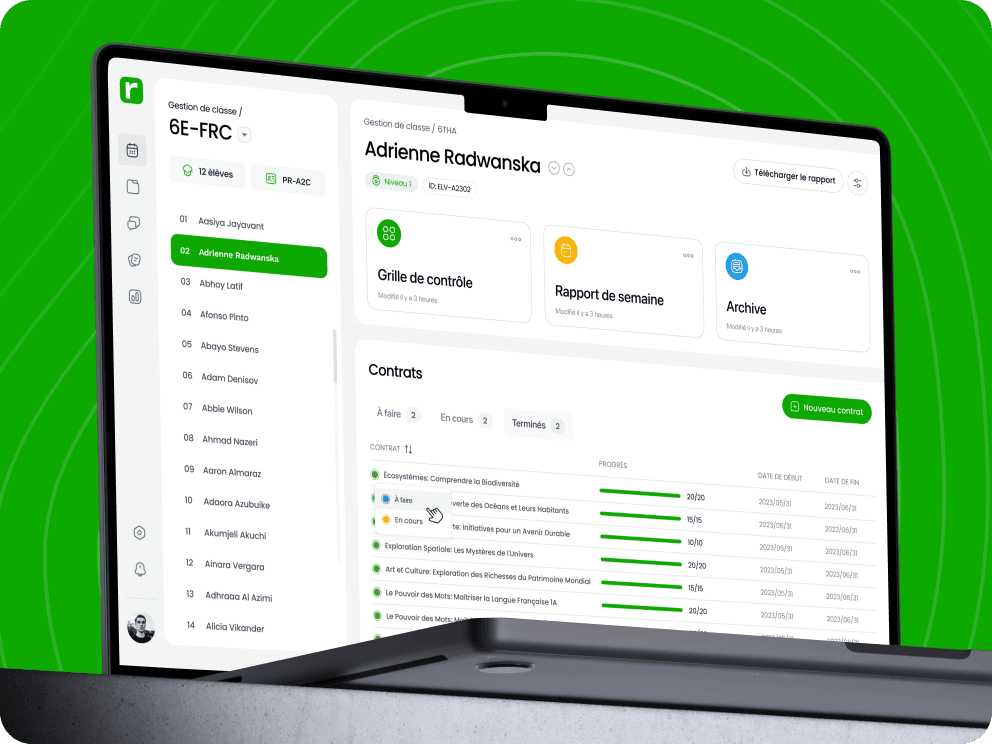
The goal of this project was to design a user-friendly school management dashboard that helps administrators easily oversee classes, students, and communication. By streamlining key workflows—like scheduling, tracking performance, and managing parent-teacher interactions—the dashboard aims to reduce admin workload and improve overall efficiency in school operations.
The goal of this project was to design a user-friendly school management dashboard that helps administrators easily oversee classes, students, and communication. By streamlining key workflows—like scheduling, tracking performance, and managing parent-teacher interactions—the dashboard aims to reduce admin workload and improve overall efficiency in school operations.
The goal of this project was to design a user-friendly school management dashboard that helps administrators easily oversee classes, students, and communication. By streamlining key workflows—like scheduling, tracking performance, and managing parent-teacher interactions—the dashboard aims to reduce admin workload and improve overall efficiency in school operations.
SOLUTION
SOLUTION
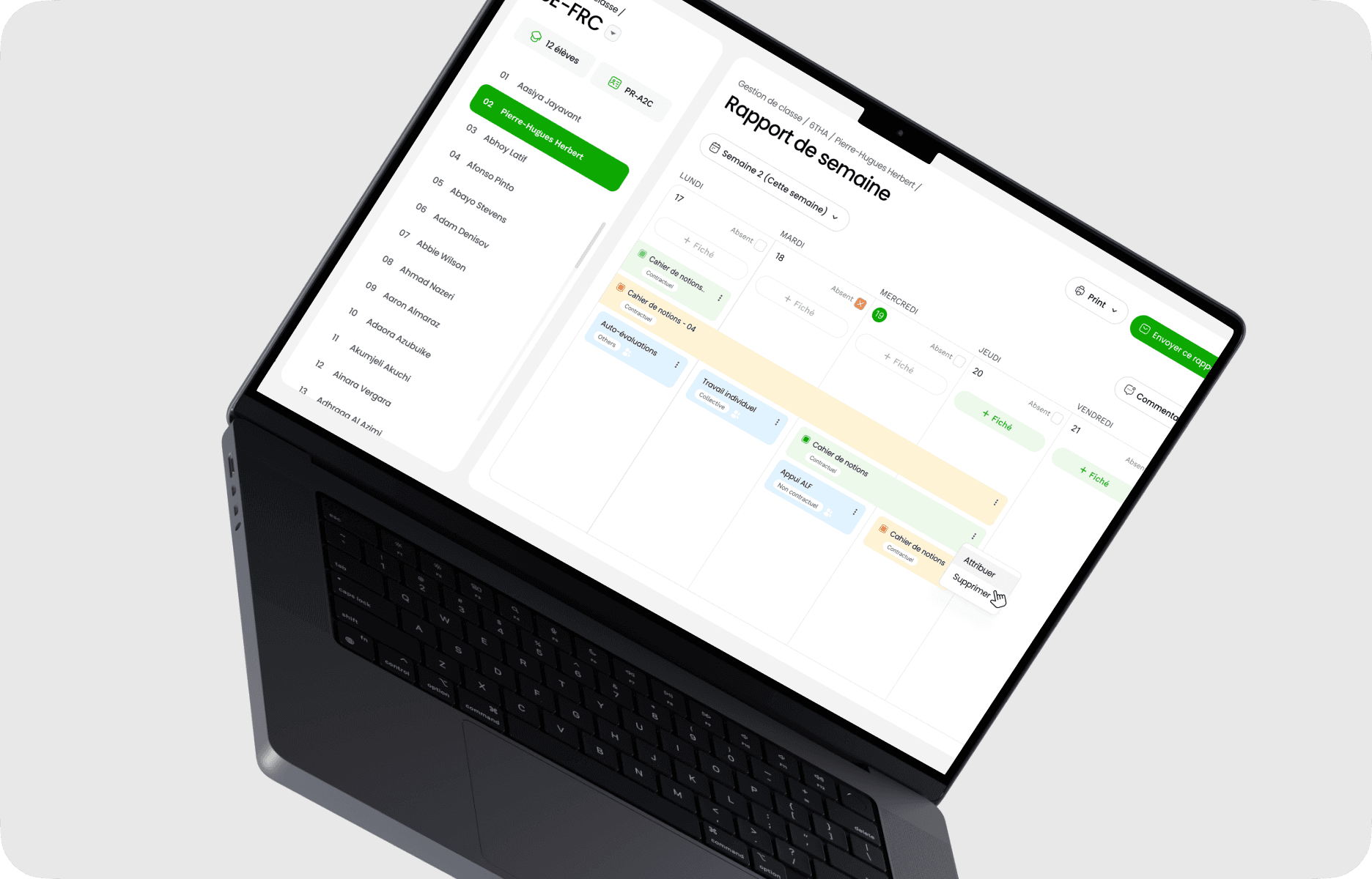
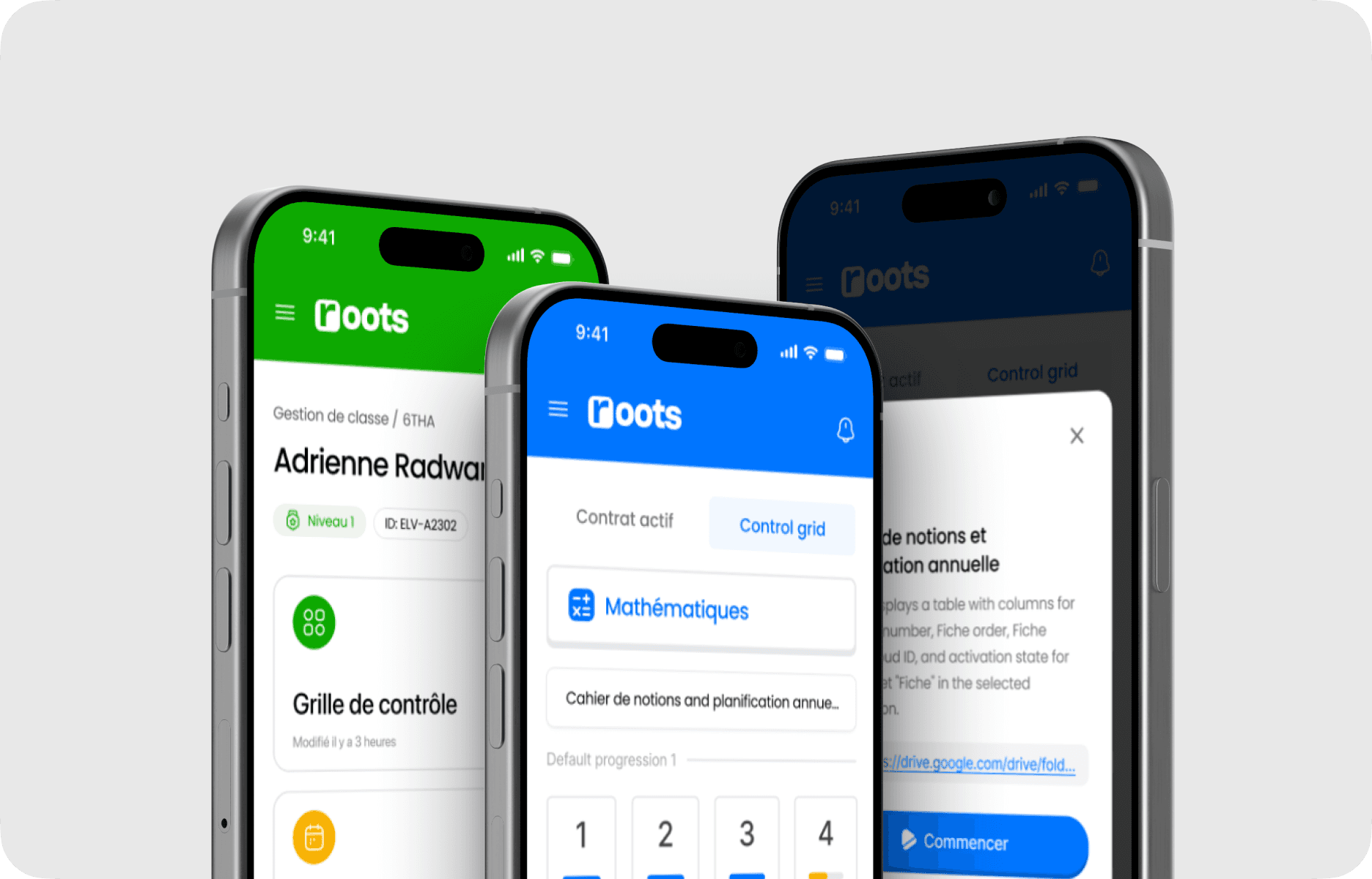
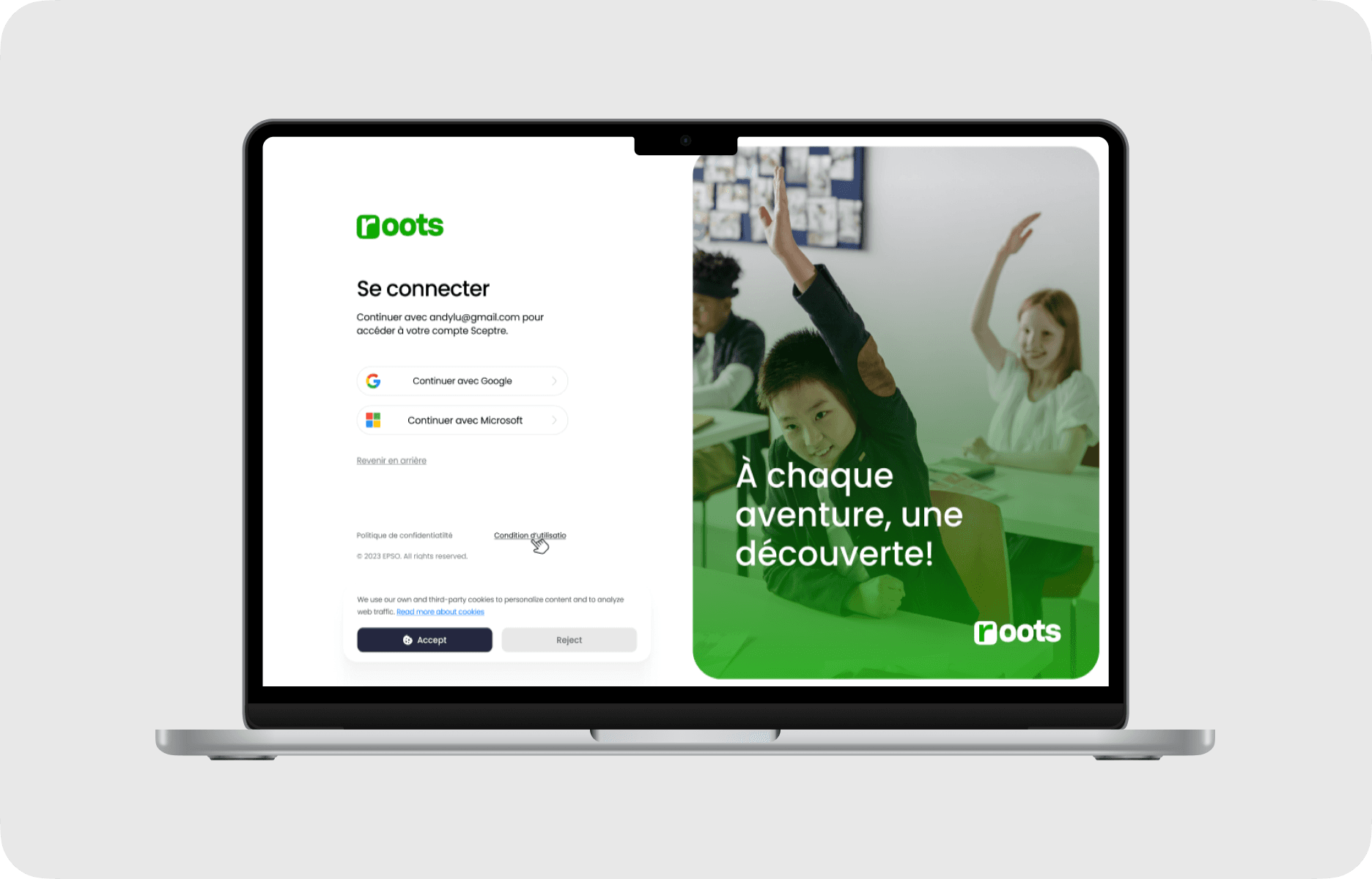
The solution features a role-based web application with separate portals for administrators, teachers, parents, and students—each tailored to their specific tasks and permissions. I implemented a modular UI system to ensure consistency and scalability across the platform. The admin dashboard centralizes core operations like class scheduling, student management, and internal communication, while teachers can manage assignments and attendance. Parents access real-time updates on their child’s progress, and students interact with their schedules and tasks. The design emphasizes clarity, responsiveness, and ease of navigation, reducing friction in day-to-day school operations.
The solution features a role-based web application with separate portals for administrators, teachers, parents, and students—each tailored to their specific tasks and permissions. I implemented a modular UI system to ensure consistency and scalability across the platform. The admin dashboard centralizes core operations like class scheduling, student management, and internal communication, while teachers can manage assignments and attendance. Parents access real-time updates on their child’s progress, and students interact with their schedules and tasks. The design emphasizes clarity, responsiveness, and ease of navigation, reducing friction in day-to-day school operations.
The solution features a role-based web application with separate portals for administrators, teachers, parents, and students—each tailored to their specific tasks and permissions. I implemented a modular UI system to ensure consistency and scalability across the platform. The admin dashboard centralizes core operations like class scheduling, student management, and internal communication, while teachers can manage assignments and attendance. Parents access real-time updates on their child’s progress, and students interact with their schedules and tasks. The design emphasizes clarity, responsiveness, and ease of navigation, reducing friction in day-to-day school operations.
Design Process
Design Process
Design Process
As our team developed the product, we went through a variety of phases from research phase to the final design
As our team developed the product, we went through a variety of phases from research phase to the final design
As our team developed the product, we went through a variety of phases from research phase to the final design


User flow
User flow
User flow
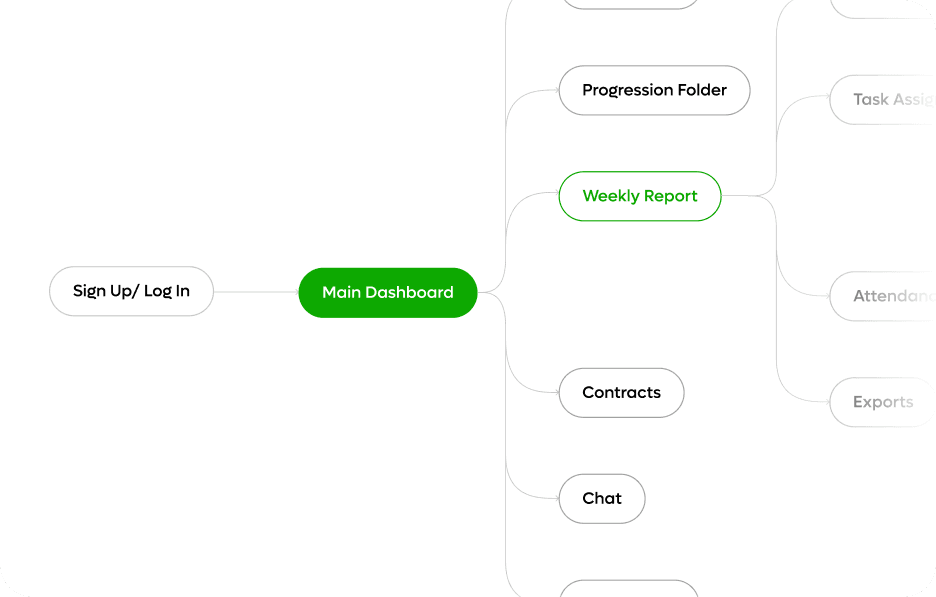
We developed a clear and logical user flow for each type of users, ensure that it is easy to understand and meets the expectations and needs of users.
We developed a clear and logical user flow for each type of users, ensure that it is easy to understand and meets the expectations and needs of users.
Simple is key
Simple is key
Features
Features
Features
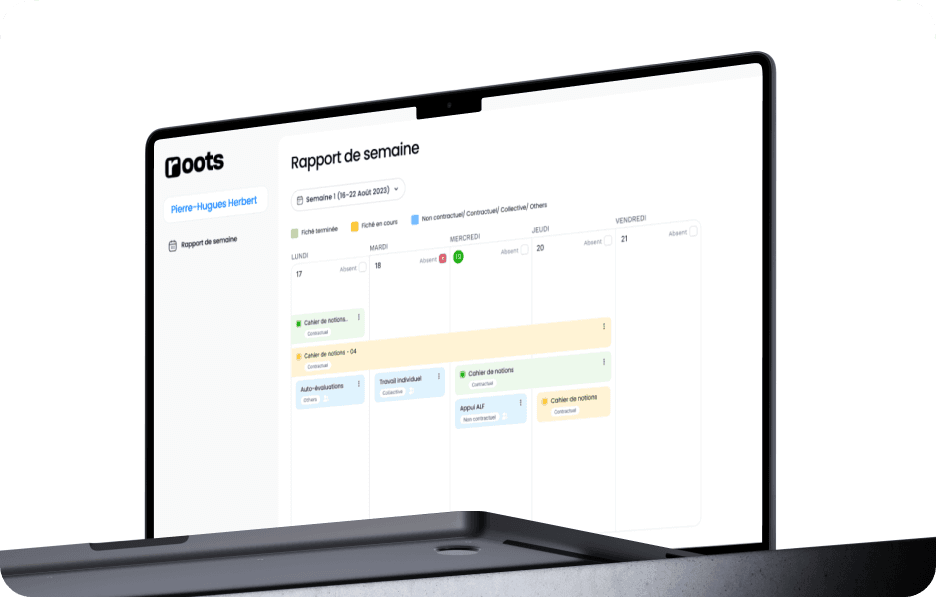
I provide essential features that ensure a smooth daily routine for students, teachers, and parents.
I provide essential features that ensure a smooth daily routine for students, teachers, and parents.
I provide essential features that ensure a smooth daily routine for students, teachers, and parents.


Assignment Management
Assignment Management
Assignment Management
We developed a clear and logical user flow for each type of users, ensure that it is easy to understand and meets the expectations and needs of users.
We developed a clear and logical user flow for each type of users, ensure that it is easy to understand and meets the expectations and needs of users.
We developed a clear and logical user flow for each type of users, ensure that it is easy to understand and meets the expectations and needs of users.
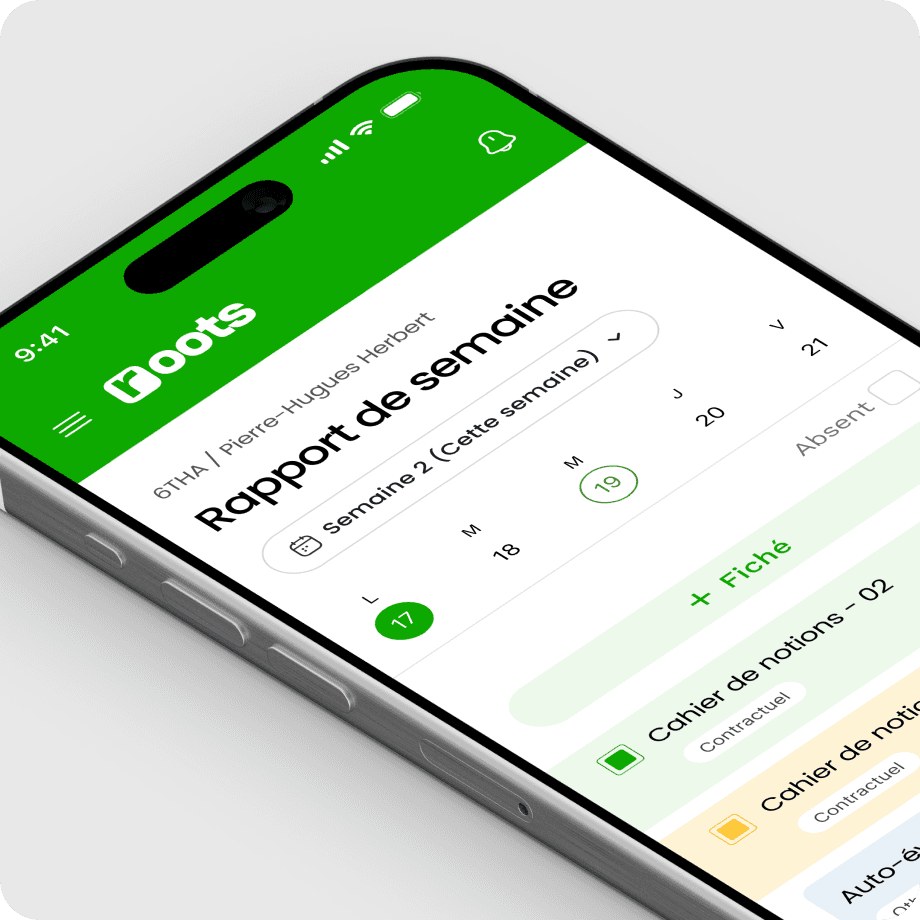

Student Progress Reports
Student Progress Reports
Student Progress Reports
Real-time access to student performance metrics, including grades, attendance, and behavioral notes. Parents and teachers can track student progress and identify improvement.
Real-time access to student performance metrics, including grades, attendance, and behavioral notes. Parents and teachers can track student progress and identify improvement.
Real-time access to student performance metrics, including grades, attendance, and behavioral notes. Parents and teachers can track student progress and identify improvement.
Parent-Teacher Communication
Parent-Teacher Communication
Parent-Teacher Communication
Teachers and parents can engage in meaningful dialogue through comments and detailed reports, ensuring ongoing collaboration and student support.
Teachers and parents can engage in meaningful dialogue through comments and detailed reports, ensuring ongoing collaboration and student support.
Teachers and parents can engage in meaningful dialogue through comments and detailed reports, ensuring ongoing collaboration and student support.
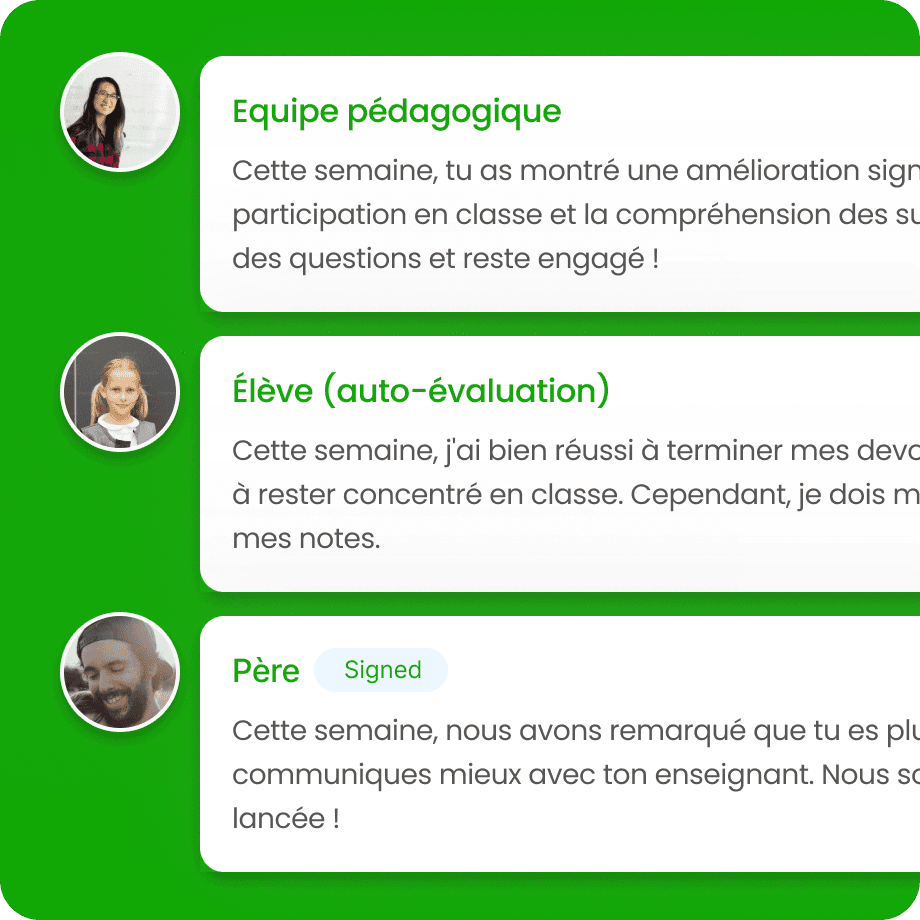

Attendance Tracking
Attendance Tracking
Attendance Tracking
A user-friendly interface that allows teachers to easily mark attendance, view student attendance history, and generate reports. The feature can include automated notifications to parents if their child is absent.
A user-friendly interface that allows teachers to easily mark attendance, view student attendance history, and generate reports. The feature can include automated notifications to parents if their child is absent.
A user-friendly interface that allows teachers to easily mark attendance, view student attendance history, and generate reports. The feature can include automated notifications to parents if their child is absent.

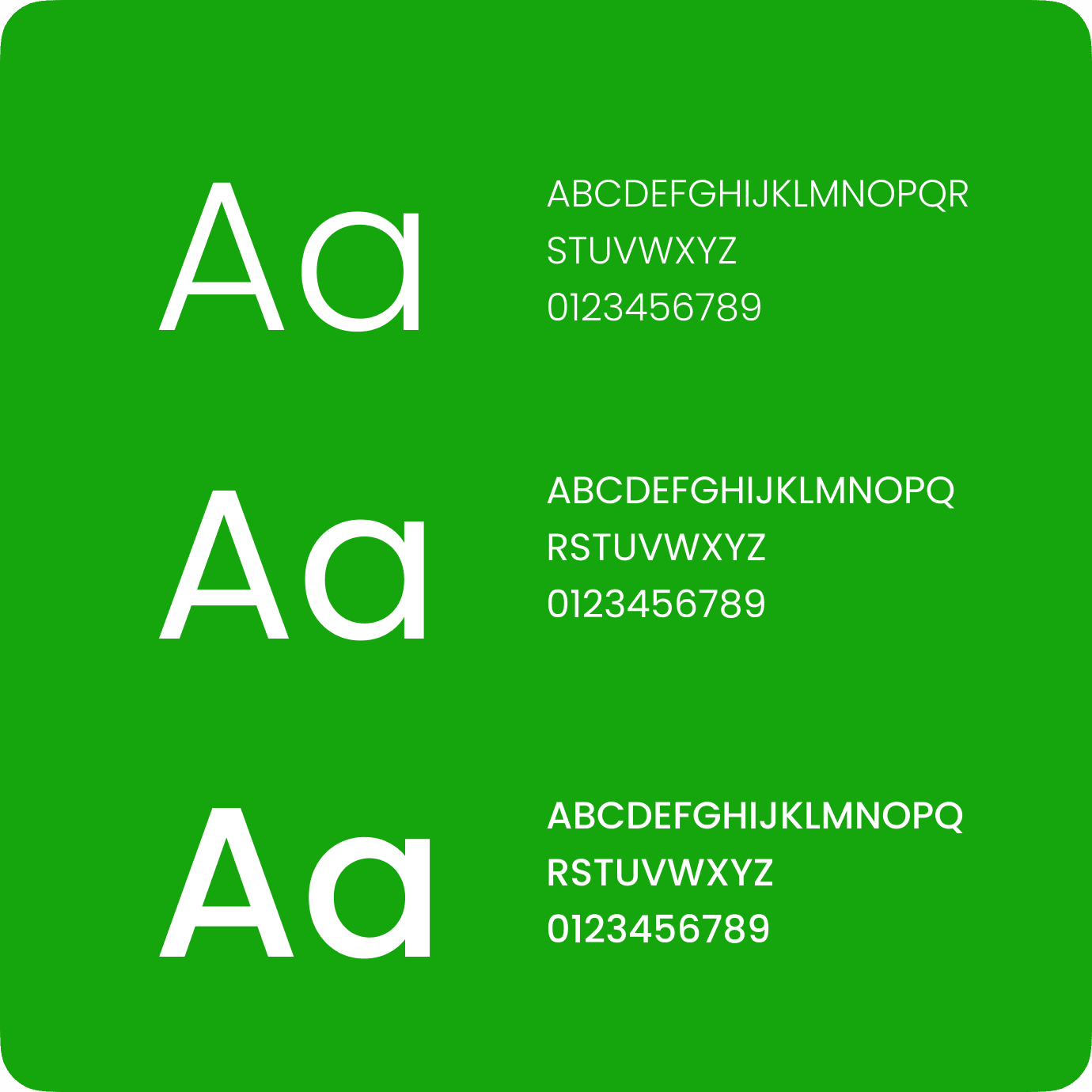
Style Guide
Style Guide
Style Guide


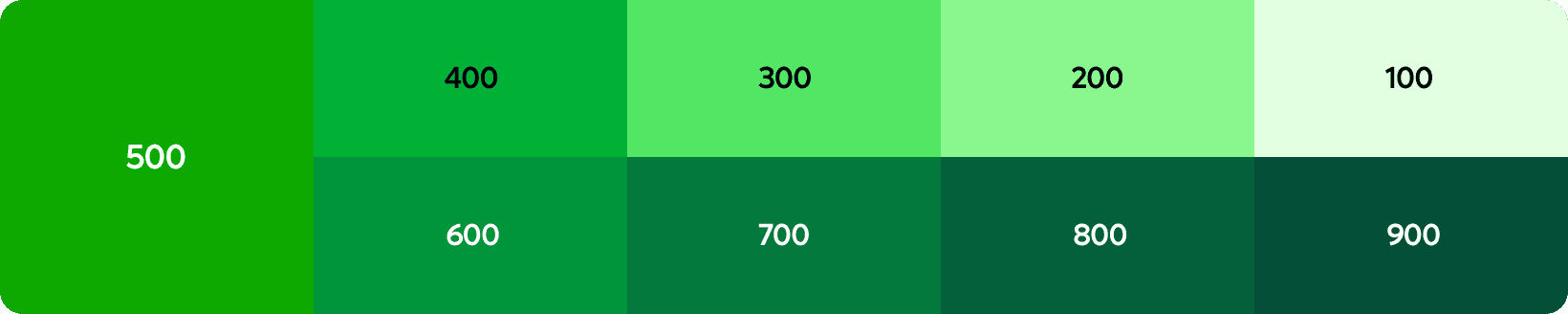
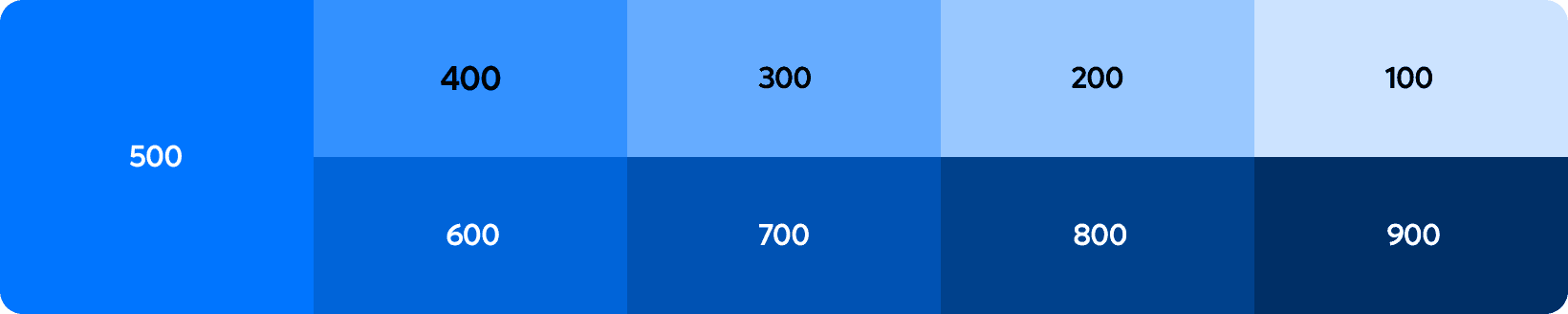
Each portal is distinguished by a unique color, making it easy to differentiate between them for students, teachers, and parents.
Each portal is distinguished by a unique color, making it easy to differentiate between them for students, teachers, and parents.
Each portal is distinguished by a unique color, making it easy to differentiate between them for students, teachers, and parents.
Primary
Primary
Primary
Using the brand’s two primary color
Using the brand’s two primary color
Using the brand’s two primary color
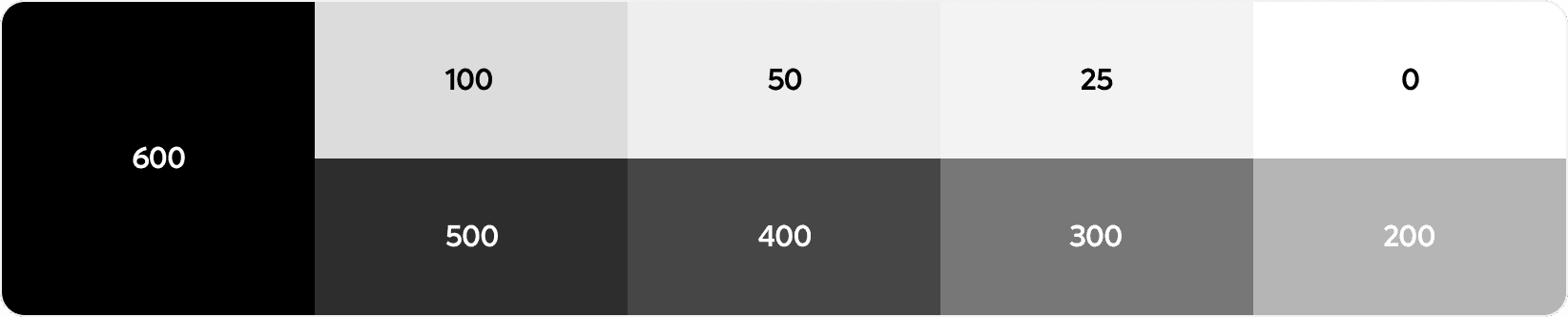
Neutral
Neutral
Neutral
Using the brand’s grayscale tones for backgrounds, borders, typography, and UI elements.
Using the brand’s grayscale tones for backgrounds, borders, typography, and UI elements.
Using the brand’s grayscale tones for backgrounds, borders, typography, and UI elements.

Semantic
Semantic
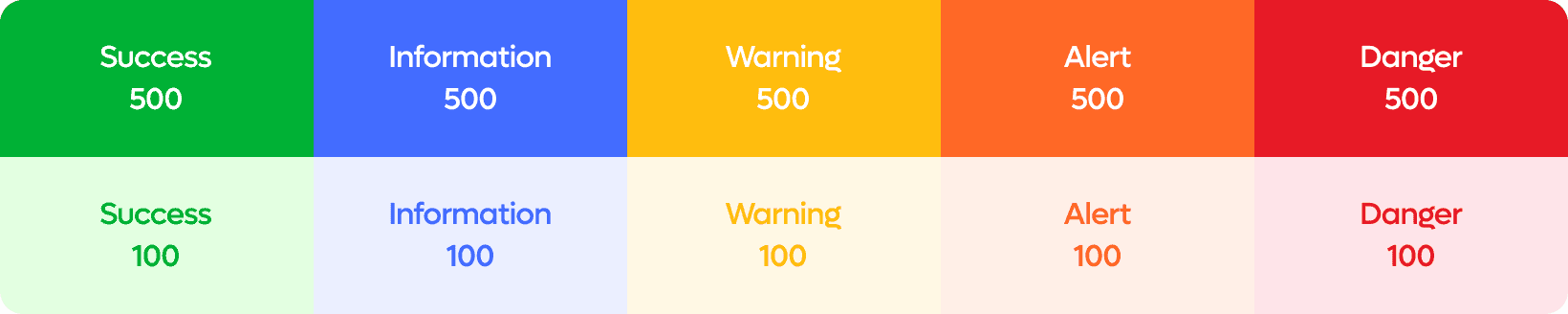
Semantic
Using semantic colors for additional information
Using semantic colors for additional information



Results
Results
Results
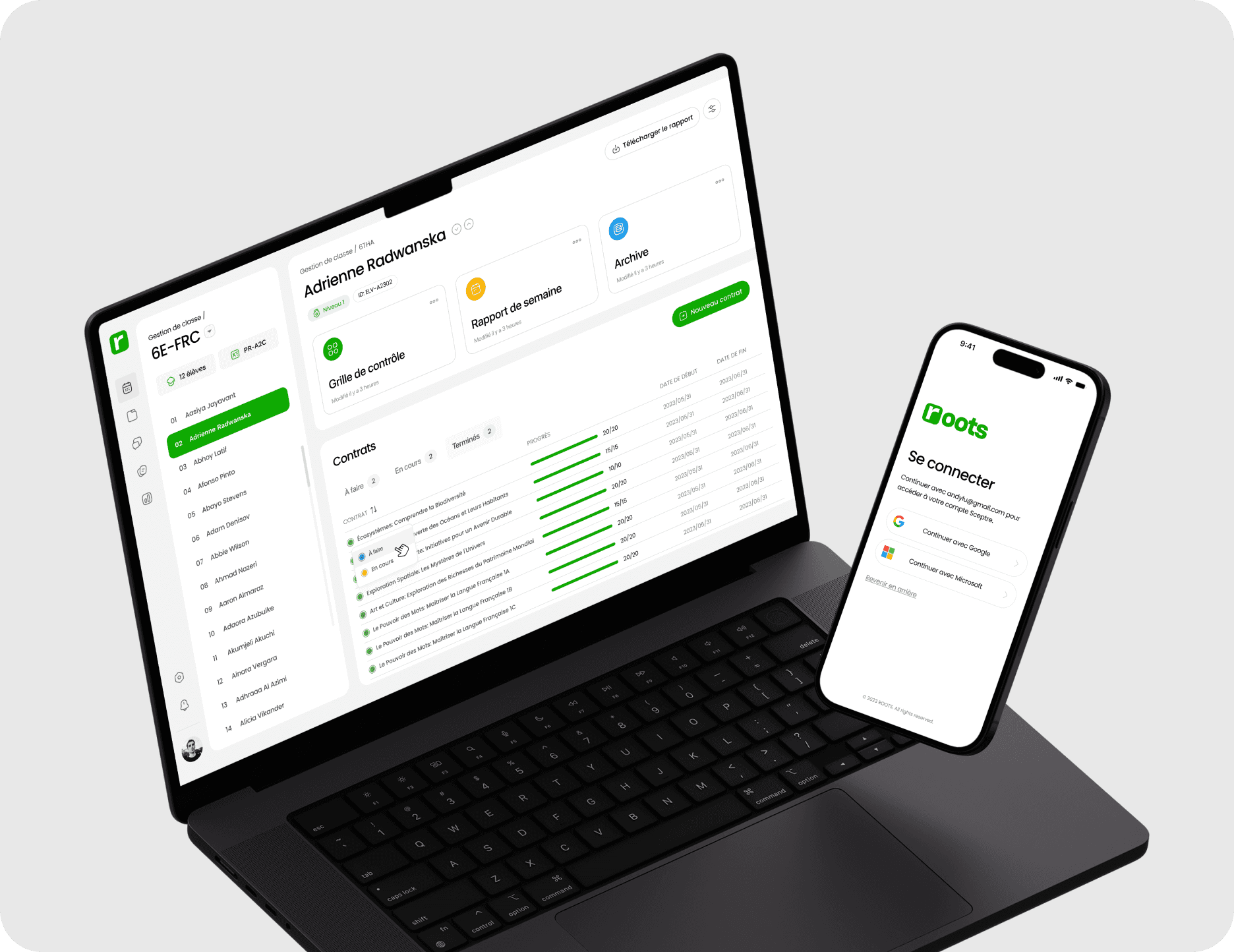
Our final product is a captivating and user-friendly management dashboard that carefully designed to meet users goal.
Our final product is a captivating and user-friendly management dashboard that carefully designed to meet users goal.
Our final product is a captivating and user-friendly management dashboard that carefully designed to meet users goal.